
Headunit Reloaded Emulator HUR
AAWirelessMaps & Navigation
2.1595.00 Reviews
- Version
- Headunit Reloaded V8.2 .0
- Installs
- 100.00K
- Age Rating
- Everyone
Screenshots
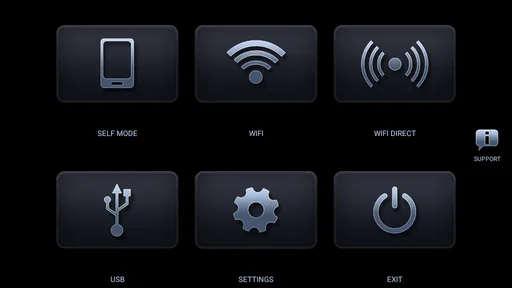
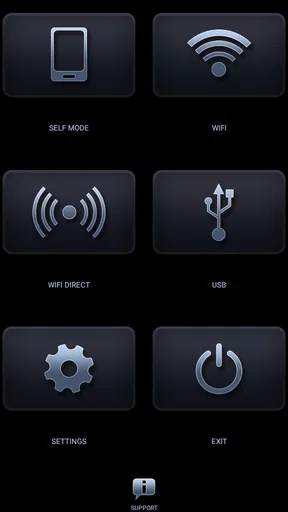
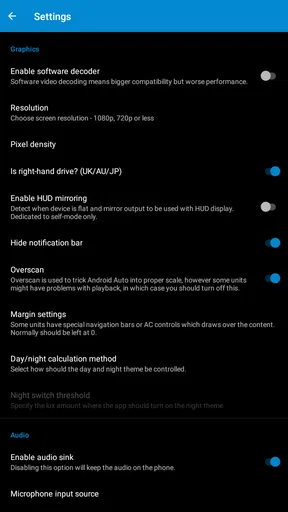
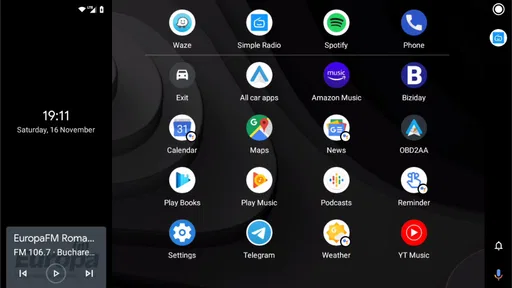
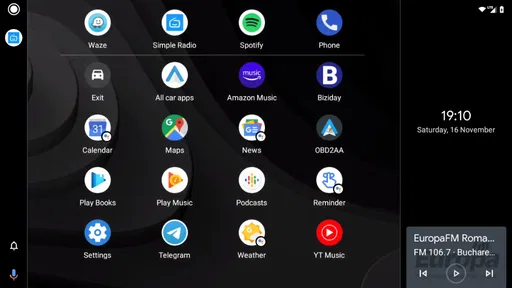
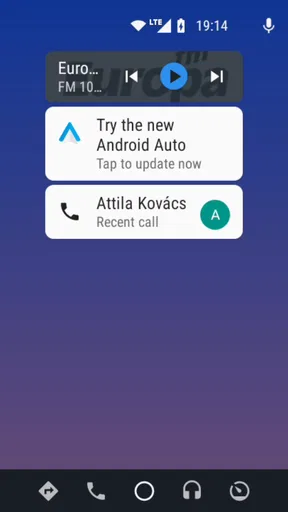
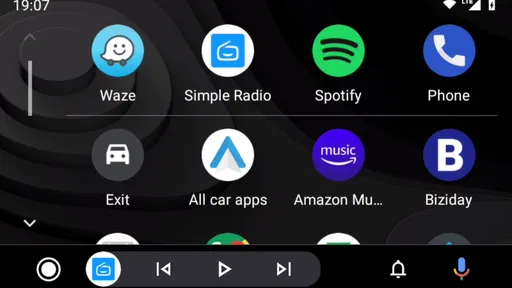

Our Review of Headunit Reloaded Emulator HUR
 Analysis by Appyee
I judge a car app less by the first drive than by whether I still want it in the setup a few weeks later. A screen that looks promising on day one can become another thing to reconnect, troubleshoot, or work around. Headunit Reloaded Emulator HUR is most appealing when you have a clear reason to turn an Android tablet or Android-powered unit into an Android Auto display, rather than simply wanting another navigation app on your phone.
Where the idea earns its place
For someone with a spare tablet already mounted in a vehicle, the appeal is practical: the screen can serve as a dedicated in-car interface instead of sitting unused. That is a different proposition from buying a new head unit, and it may suit a driver who likes repurposing hardware and is willing to spend time getting the connection right. It is less compelling if your car already has a dependable built-in Android Auto system or if you only need occasional directions; a phone mount and a navigation app may be the simpler habit.
A realistic use is a daily commute where the tablet stays in the car and the driver connects before setting off, then uses the familiar navigation and audio interface during the trip. The useful test is not whether it works once in a quiet driveway, but whether the same routine feels easy on a rushed morning. I would set up the device while parked, check the intended connection method, and confirm that the controls I need are reachable before relying on it for an unfamiliar route.
Choosing a connection with the routine in mind
USB is the sensible first choice when the tablet or Android-powered unit can be wired conveniently: the original review found it the smoothest and most stable option. Wi-Fi offers a less cable-dependent setup, but the occasional hiccups matter more if you expect to start driving immediately after connecting. Bluetooth was sluggish in that test, so I would not choose it for a workflow where quick interaction and responsive screen updates are important.
That trade-off is easy to underestimate. A cable can be a small daily nuisance, yet a connection that behaves predictably may be worth more than a tidier dashboard. Before settling on a method, try it in the parked car and repeat the connection after the device has been disconnected; a setup that only works reliably after careful tinkering may not be worth maintaining as a commute routine.
Headunit Reloaded is an app in the maps and navigation space, developed by AAWireless, and it costs $4.99. Its rating averages 2.2 from around 4,200 ratings, while it has passed 100,000 installs. Those figures suggest a product with a defined audience and mixed reactions, not a no-risk recommendation. I would treat the rating as a reason to check that your particular device and connection plan suit the app, rather than assuming every setup will behave like the smoothest test case.
Getting Started with Headunit Reloaded Emulator HUR
First things first, getting started with Headunit Reloaded Emulator HUR is a breeze. You just need to download it from the Play Store, and you're good to go. The setup process is pretty straightforward, and the app does a decent job of guiding you through the initial steps. Just make sure your phone is running Android 4.1 or higher, and you’re set.
Once you have it installed, you can connect your phone to your car's infotainment system using a USB cable, Wi-Fi, or even Bluetooth. I tried all three methods just to see how they perform. The USB connection was the smoothest, offering stable and fast connectivity. Wi-Fi worked well too, though it occasionally hit a few hiccups. Bluetooth, on the other hand, was a bit sluggish. But hey, having options is always a plus, right?
User Interface and Experience
The user interface of HUR is quite intuitive. It mirrors the familiar Android Auto interface, which is a huge relief if you're already accustomed to it. You get all the essentials like navigation, music, and messaging apps right at your fingertips. The touch response is generally snappy, and the app does a decent job of handling voice commands.
One thing I noticed is that the app's design is rather minimalistic. It doesn’t try to bombard you with unnecessary features or flashy graphics. Everything is neatly organized, which makes navigating through the app while driving much safer.
Performance and Stability
Performance-wise, HUR is quite impressive. It runs smoothly most of the time, with only a few minor lags here and there. But let’s be real, which app doesn’t have its off days? During my test drives, I found the app to be consistently reliable when using navigation apps like Google Maps and Waze, which is crucial when you’re on the road.
In terms of stability, I did encounter a couple of crashes, particularly when trying to multitask with music and navigation. It wasn’t a deal-breaker for me, but it’s something to keep in mind if you plan on using it extensively.
Features That Stand Out
One of the coolest features of HUR is its ability to customize the layout. You can tweak the look and feel of the interface to match your preferences, which is a nice touch. Plus, the app supports a wide range of third-party apps, so you can bring your favorite tools along for the ride.
Another standout feature is the app's compatibility with various input methods. Whether you're using a touchscreen, rotary control, or steering wheel buttons, HUR adapts seamlessly. This makes it a versatile choice for different car models and infotainment systems.
Making a fair comparison
Compared with an ordinary navigation app opened directly on a phone, HUR’s point is the Android Auto-style presentation on a separate Android screen. That can make more sense if the larger display is already part of your car setup and you want maps, music, and messaging presented together. A phone app is the more straightforward choice when you do not have a spare screen, when you want fewer connections to manage, or when using a second device would add clutter rather than convenience.
It is also not the same decision as replacing a car’s built-in system. A purpose-built head unit may be a better fit for someone who wants a permanent, integrated installation and does not want to depend on a tablet or emulator workflow. HUR is better thought of as a way to make existing Android hardware useful in the car. That flexibility is its advantage, but it also makes compatibility and setup part of the ownership experience.
Small habits that reduce friction
I would make the first few outings deliberately boring: connect while parked, open the route and audio apps you plan to use, and check that the display responds before pulling away. That simple routine helps separate a connection issue from an app issue without tempting you to troubleshoot in traffic. If you use the device as a dedicated dashboard, keep its placement and cable arrangement consistent; changing the physical setup every trip can turn a clever conversion into a chore.
It is also worth being realistic about the screen’s role. A larger display can make route guidance easier to glance at, but it does not make interacting while driving safe. Set the destination and adjust the layout before moving, then rely on voice control or the car’s available controls where appropriate. HUR’s support for different input methods is useful only when those controls are actually present and working with your particular hardware.
For an occasional passenger or a spare-device experiment, the app can be an interesting solution even if the setup is not perfectly polished. For a driver who needs the same connection to work every morning without attention, the standard in-car system—if available—has the advantage of being purpose-built. The question is less “Can this display Android Auto?” than “Will I be happy repeating this exact setup each time I drive?”
What changes after the novelty
The first week is when customization and the new screen are most fun. Over time, those features matter less than whether navigation starts reliably, whether music and directions coexist without a crash, and whether the connection fits your routine. The earlier test drives were mostly smooth, but the reported crashes during music-and-navigation multitasking are a meaningful caveat for anyone who expects to run both throughout a long commute.
HUR is currently at Headunit Reloaded V7.2.3, and it is rated for Everyone, with an Android minimum of 4.1. It was released on August 19, 2016. That long-running identity makes it a mature, specific tool rather than a general-purpose driving companion; the practical value still depends on whether your own device and car setup cooperate. Before paying, I would make sure the intended hardware can be used in the way you expect and that a dedicated Android Auto-style screen solves a real problem for you.
Final Thoughts
So, is Headunit Reloaded Emulator HUR worth a shot? I’d say yes, especially if you’re looking for a budget-friendly way to integrate Android Auto into your car. It’s not without its quirks, but the overall experience is pretty solid. The app offers a great blend of functionality and convenience, which is exactly what you need on the road.
Whether you're planning a long road trip or just need a reliable way to manage your music and maps on your daily commute, HUR has you covered. Just remember to keep your eyes on the road, and let the app handle the rest. Happy driving!
Who should keep it installed
I would keep it installed if I had an Android tablet or powered unit that could remain in the car, a clear need for an Android Auto-style display, and patience for checking the connection before setting off. That combination gives the app a recurring job instead of making it a novelty I open once and forget. It is a more convincing purchase for someone who enjoys configuring a practical setup than for someone expecting a completely hands-off replacement for factory equipment.
I would skip it if I wanted a guaranteed plug-and-play experience, did not have a suitable second screen, or rarely used maps and media while driving. The $4.99 price is modest compared with changing hardware, but paying for an app does not remove the work of arranging a device and connection. If the setup introduces more steps than it saves, a phone mount or a built-in car system is likely the better everyday choice.
My long-term take
What keeps HUR relevant is not novelty but repetition: one screen, one connection method, and a routine that becomes easy enough to forget about. Its customization and input flexibility can help adapt it to a particular car, while its occasional connection hiccups and multitasking crashes are reasons to test the exact workflow before depending on it. I see it as a useful bridge for the right hardware, not a universal upgrade for every driver.
If the first week leaves you with a setup you can repeat without fiddling, the app can earn a lasting place as a dedicated dashboard. If each drive starts with reconnecting, repositioning, or recovering from instability, the convenience fades quickly. I would decide based on that ordinary, month-to-month experience—not on how clever the conversion feels the first time it works.
Verdict
Strengths of Headunit Reloaded Emulator HUR
- Seamless integration with Android Auto.
- Highly customizable interface.
- Supports multiple connection methods.
- Minimal lag during usage.
- User-friendly setup process.
Limitations of Headunit Reloaded Emulator HUR
- Limited support for iOS devices.
- Requires additional hardware for full features.
- Occasional connectivity issues.
- Some features require in-app purchases.
- Interface can be overwhelming for beginners.
Other Releases by AAWireless
View All
AAWireless for Android Auto™
Auto & Vehicles4.4
Similar Picks in This Category
View All
Uber - Request a ride
Uber Technologies, Inc.4.7


inDrive. Rides with fair fares
® SUOL INNOVATIONS LTD4.8

Yandex Go: Taxi Food Delivery
Mikromobilnost LLC Belgrade4.8

Bolt: Request a Ride
Bolt Technology4.8

Rapido: Bike-Taxi, Auto & Cabs
Rapido Bike Taxi4.8
Frequently Asked Questions
What is Headunit Reloaded Emulator HUR and how does it work?
Headunit Reloaded Emulator HUR is an app that transforms your Android device into an Android Auto head unit. It allows you to connect your smartphone to your car’s infotainment system wirelessly or via USB, giving you access to navigation, music, calls, and other Android Auto features. Simply install the app, configure your settings, and enjoy seamless connectivity.
Is Headunit Reloaded Emulator HUR compatible with all cars?
While Headunit Reloaded Emulator HUR is designed to work with a wide range of vehicles, compatibility may vary depending on your car's infotainment system and Android Auto support. It is recommended to check the app's compatibility with your specific car model or consult the app developer for detailed guidance before downloading.
Does Headunit Reloaded Emulator HUR require a constant internet connection?
Headunit Reloaded Emulator HUR itself does not require a constant internet connection to function. However, certain features like navigation, music streaming, and real-time updates may need internet access. It's advisable to have a reliable internet connection for the full Android Auto experience, especially when using GPS or streaming services.
Are there any subscription fees for using Headunit Reloaded Emulator HUR?
Headunit Reloaded Emulator HUR is a paid app, which requires a one-time purchase from the Google Play Store. There are no subscription fees involved, but additional costs may arise if you choose to use third-party apps or services that require separate subscriptions. Ensure to check pricing details before downloading.
How can I troubleshoot common issues with Headunit Reloaded Emulator HUR?
If you encounter issues with Headunit Reloaded Emulator HUR, start by checking your device’s compatibility and ensuring the app is up to date. Common troubleshooting steps include restarting your device, reinstalling the app, and checking connection settings. For persistent problems, consult the app’s support resources or community forums for specific solutions.
